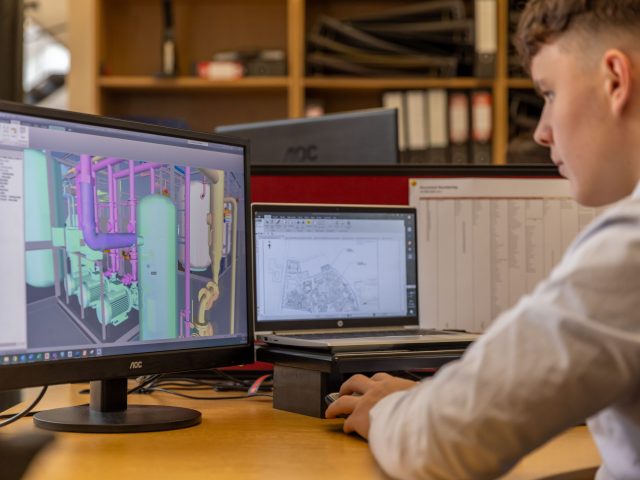



CAD Back Office Support can be the difference between a construction company that keeps taking on work and one that starts turning projects away because its technical team is stretched too thin. Think of your in-house engineers and project managers as the crew steering the ship. If they’re spending their days handling repetitive drafting, drawing revisions, documentation, and production work, they’re spending less time navigating the projects that actually move the business forward.
That’s the problem many construction companies face as workloads increase. Winning another project sounds like good news until the existing team has to absorb all the additional drawings, markups, revisions, schedules, and documentation that come with it. Hiring locally can solve the capacity problem, but it can also introduce another one: finding qualified people quickly enough.
This is where a structured CAD back office can become an extension of your operation rather than another layer of complexity.
What Is CAD Back Office Support?
CAD Back Office Support refers to the technical production work that supports your front-line engineering, design, and construction teams without requiring every task to be handled by the people managing the project.
That can include CAD drafting, drawing revisions, plan preparation, redline incorporation, CAD file cleanup, documentation, quantity-related support, drawing conversions, as-built updates, and other repetitive production activities.
The key distinction is that back-office support doesn’t replace engineering leadership. Instead, it gives that leadership additional production capacity.
Imagine an architect working with a large stack of blueprints. They don’t need to personally sharpen every pencil, organize every sheet, and redraw every revision. They need the right people handling the supporting work so they can concentrate on decisions that require their expertise.
Construction companies can apply the same principle to CAD production.

Why Construction Companies Hit a CAD Capacity Wall
The CAD bottleneck rarely appears overnight.
At first, one or two drafters can comfortably handle the workload. Then projects increase. A few clients request revisions at the same time. A new tender arrives. Another project reaches construction documentation. Suddenly, the same team that was productive last month is working late just to keep drawings moving.
The problem isn’t necessarily a lack of talented people. It’s that experienced people are being asked to perform too many different types of work.
A senior engineer might spend part of the morning reviewing designs, then lose several hours preparing drawings that could have been handled by a production drafter. A project manager might spend an afternoon chasing drawing revisions instead of coordinating subcontractors.
Eventually, the company has a capacity problem disguised as a productivity problem.
Where CAD Back Office Support Can Make the Biggest Difference
The best candidates for back-office support are usually tasks that are important, repeatable, and clearly defined.
CAD Production Support
CAD Production Support can take care of the repetitive production workload that builds up during busy project periods.
This may include:
- Drawing creation and revisions
- Redline incorporation
- Plan and sheet preparation
- CAD file cleanup
- Detail drafting
- Drawing updates
- As-built documentation
- Standardized documentation
- Conversion and formatting work
The objective isn’t simply to produce more drawings. It’s to make sure your experienced local staff aren’t spending their most valuable hours on work that someone else can reliably handle.
CAD Resource Augmentation
There are also times when you don’t need an entirely separate drafting department. You simply need more capacity.
That’s where CAD Resource Augmentation can make sense.
Instead of hiring a permanent local employee for a workload that may fluctuate, you can add technical resources around your existing team. During a major project, that might mean adding two drafters. During a quieter period, you may need fewer resources.
The model gives companies another lever to pull when project demand changes.
Building a Remote CAD Team
For companies with consistent workloads, the next step can be a Remote CAD Team.
Rather than treating every drawing as a separate outsourced assignment, a dedicated team becomes familiar with your standards, templates, file structures, workflows, and expectations.
That familiarity matters.
The first time someone works on your drawings, they’re learning how you operate. After working within your system for months, they already understand your conventions. That institutional knowledge can reduce the amount of explanation and correction required from your local team.
Real-World Example: A Commercial Fit-Out Company Expands Its Offshore Capacity
A useful example comes from a 2026 case study published by HGS OSS.
The company describes a medium-sized commercial fit-out construction business that was struggling with increasing workloads, local skills shortages, and highly skilled estimators and draftsmen spending too much time on labor-intensive construction documentation.
HGS says it helped the company establish a dedicated offshore team that included quantity surveyors and CAD draftsmen. The offshore staff handled construction documentation, allowing local estimators and surveyors to redirect more of their time toward client service, business development, and other higher-value responsibilities.
The important lesson isn’t simply that the company hired offshore workers. It’s how the work was divided.
The local team remained focused on activities requiring closer client involvement and commercial judgment, while production-oriented documentation was shifted to dedicated offshore resources.
That’s the essence of effective CAD Back Office Support.
Read the HGS OSS construction case study
Another Example: A 16+ Person Offshore Construction Team
A second example comes from Sourcefit’s 2026 case study of a national Australian retail fit-out and commercial construction company.
According to Sourcefit, increasing project volume and internal complexity created the need for additional support across design, estimating, project administration, finance, and operations. Sourcefit built and operated a 16-plus-person offshore team covering 10 different roles, including AutoCAD drafting, quantity surveying, cost estimation, project administration, finance, and maintenance coordination.
What makes this example particularly relevant is the breadth of the operation.
CAD wasn’t treated as an isolated service. It became part of a wider offshore support structure that helped the company handle multiple operational functions as its workload grew.
For a construction company, that’s an important distinction. Dedicated offshore employees can support a particular production function while also becoming part of a broader operational strategy.
CAD Back Office Support Doesn’t Mean Giving Up Control
One of the biggest concerns companies have about offshore support is control.
Who checks the drawings? Who manages priorities? Who answers questions? What happens when standards change?
Those concerns are legitimate, but they’re usually workflow questions rather than reasons to avoid remote support.
A well-managed Dedicated offshore staff model should operate within your existing systems. Your team establishes the standards, defines the deliverables, sets priorities, and reviews the output. The back-office team then works within that framework.
Think of it like adding another production floor to your business. You wouldn’t expect a new production floor to operate without specifications, quality checks, or clear instructions. The same applies to an offshore CAD operation.
The stronger your processes are, the easier it becomes for additional resources to integrate into them.
What Should Stay With Your Local Team?
Not every construction activity belongs in the back office.
Engineering decisions, client relationships, project leadership, site coordination, regulatory responsibility, and final technical approvals may require local knowledge, professional judgement, or physical presence.
The goal isn’t to move everything offshore. It’s to separate decision-making from production where appropriate.
Your project manager shouldn’t need to personally perform every CAD revision simply because nobody else has the capacity to do it. Your senior engineer shouldn’t have to spend hours formatting sheets when that time could be spent resolving a critical design issue.
The question to ask is simple:
Does this task require the expertise and judgment of the person currently doing it, or does it require their oversight?
That distinction can reveal a surprising amount of unused capacity.
How an Offshore Staffing Company Fits Into the Model
An offshore staffing company can help construction businesses build this additional capacity without requiring them to manage every aspect of international recruitment themselves.
Instead of searching for individual freelancers every time workload increases, companies can build a more structured team around the roles they actually need.
That could mean one dedicated CAD drafter initially, followed by additional production support as demand grows.
For companies considering this approach, seeing the actual people available is often more useful than reading another list of generic job titles. Remotation’s CAD and construction professional profiles provide multiple real-person profiles that can be considered for exclusive hiring.
The same principle applies when deciding how large the team should be. You might need a CAD drafter today, but your longer-term requirements could include estimators, engineers, project coordinators, or other technical staff. Reviewing different remote hiring designations and pricing options can help you map the staffing model around the workload rather than hiring reactively.
Start With the Bottleneck, Not the Headcount
One of the easiest mistakes is deciding, “We need three offshore drafters,” before identifying what those people actually need to accomplish.
Start with the bottleneck. Where does work sit waiting?
Are engineers spending too much time on drawing revisions? Are project managers chasing documentation? Are tender teams struggling to prepare drawings quickly enough? Are experienced drafters constantly pulled between multiple projects?
Once you’ve identified the constraint, you can determine what type of support will actually remove it.
You may discover that one dedicated drafter is enough. You may need a small Remote CAD Team.
Or you may eventually need broader CAD Resource Augmentation covering drafting, estimating, documentation, and project support.
The right model should follow the workload, not the other way around.

Making CAD Back Office Support Work Long Term
Successful back-office support depends on structure.
Before handing over production work, establish clear CAD standards, file naming conventions, folder structures, templates, revision procedures, communication channels, and quality checks.
It also helps to begin with a defined workload rather than throwing an entire project at a new team immediately.
Give the team a manageable scope. Review the output. Identify where instructions were unclear. Refine the process. Then expand.
Over time, your offshore staff shouldn’t feel like people working somewhere “outside” your company. They should understand your standards and know how your team works.
That’s when Dedicated offshore employees stop being a temporary capacity solution and start becoming a genuine extension of your operation.
The Real Value Is More Than More Drawings
The biggest advantage of CAD Back Office Support isn’t necessarily producing drawings faster. It’s what that additional capacity allows your company to do.
Your senior engineers can spend more time engineering. Project managers can focus on delivery. Business development teams can pursue new opportunities. Your local drafters can concentrate on complex work instead of being buried under routine revisions.
And when another major project arrives, you don’t have to immediately ask whether your existing team can survive the workload.
You have another option.
Conclusion: Build Capacity Before Capacity Becomes the Problem
Construction companies don’t usually struggle because they lack ambition. They struggle because growth puts pressure on the systems and people that made their earlier success possible.
CAD Back Office Support gives companies a way to handle that pressure without automatically expanding their local team every time the workload rises.
With the right structure, CAD Production Support, CAD Resource Augmentation, a Remote CAD Team, and Dedicated offshore staff can work alongside your existing operation to create additional capacity where it’s needed most.
The objective isn’t to replace your local team. It’s to give them room to do the work only they can do.
When your best people aren’t buried under production bottlenecks, growth stops feeling like a threat to your capacity and starts looking like what it should be: an opportunity.